
STUDENT LIFE & TECHNOLOGY ● DIGITAL SAFETY GUIDE
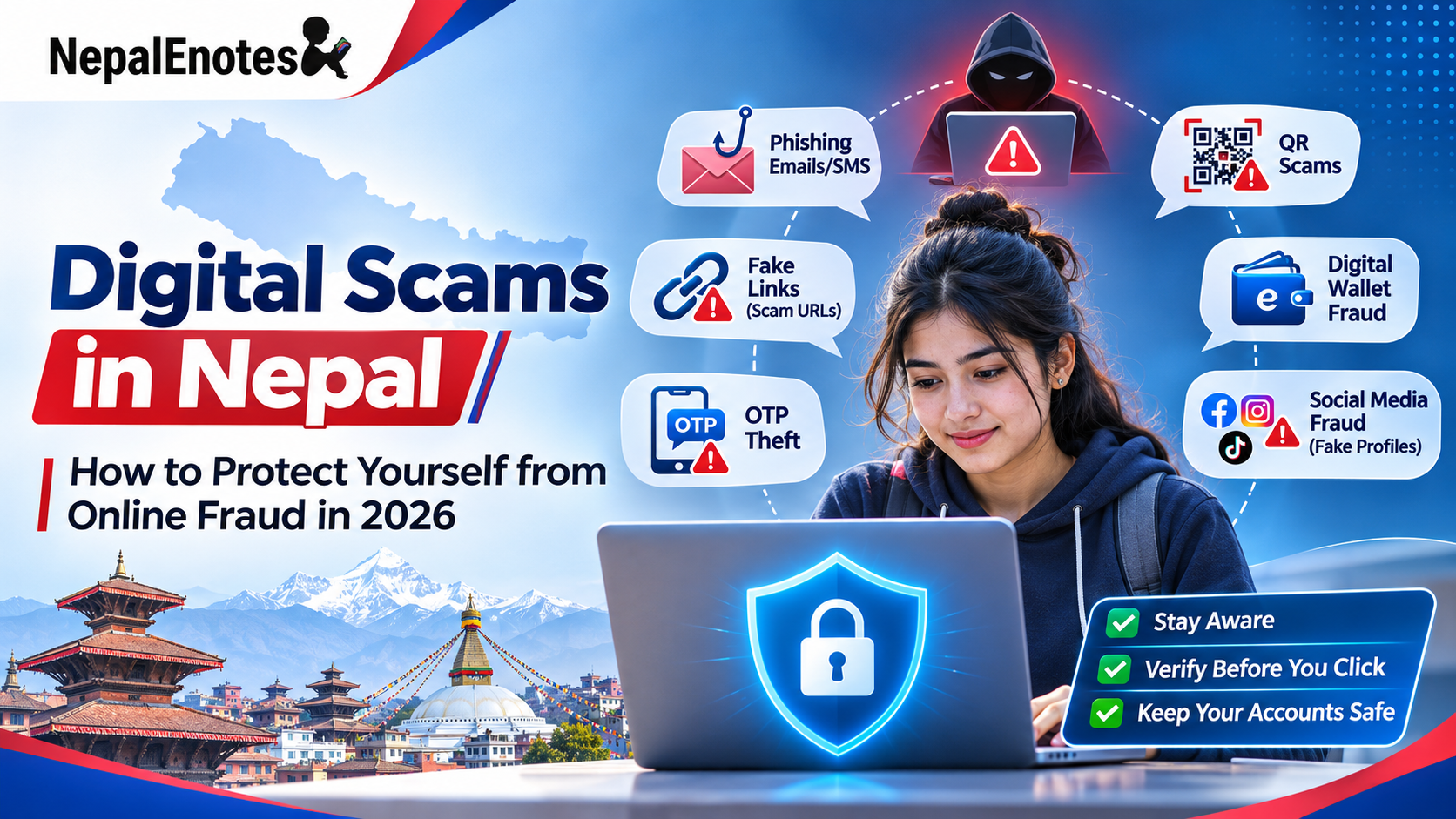
Digital Scams in Nepal: How to Protect Yourself from Online Fraud in 2026
From fake eSewa messages to online shopping traps, learn the warning signs and how to keep your money, accounts and identity secure.
Explore 7 Common Scams
Never share your OTP, PIN, password or recovery codes — not even with someone claiming to be support staff.
Would you click this message?
Sounds exciting, right? But what if that message was designed to steal your money?
People in Nepal encounter fake shopping pages, suspicious QR codes, fraudulent payment requests and many other forms of online fraud. As mobile banking and digital wallets become more common, knowing how to stay safe online is an essential life skill.
- Spot warning signs before you lose money
- Recognize seven common scams affecting Nepali users
- Protect payment accounts, passwords and personal documents
- Act quickly and report fraud if something goes wrong
START WITH THE BASICS
What are digital scams?
A digital scam is fraudulent activity carried out through the internet, mobile phones, social media or electronic payment systems. Scammers try to deceive people into doing something that benefits the fraudster.
Scammers do not always need advanced hacking skills. They often manipulate people into trusting a false story — for example, pretending to work for a bank and threatening to block an account unless an OTP is shared.
THE NEPAL CONTEXT
Why is online fraud a growing concern?
These are reported complaints, not confirmed fraud convictions, according to Nepal Police figures cited in reporting from 2026. See reporting from The Rising Nepal.
In October 2026, Nepal Rastra Bank’s Financial Intelligence Unit warned that digital fraud risks could rise during Dashain, Tihar and other festivals, when online transactions increase. Fake rewards, shopping discounts, KYC-update prompts and payment links are common warning signs.
RECOGNIZE THE WARNING SIGNS
7 common types of digital scams in Nepal
Tap or click a scam type to expand the example and learn how to avoid it.
01Fake eSewa, Khalti and mobile banking messages
Example: “Your wallet has been temporarily blocked. Verify your identity immediately using this link.”
The message may mimic a trusted payment provider, but the link may lead to a fake login page that steals your credentials or OTP.

- Open the official wallet or banking app directly instead of using an SMS link.
- Never disclose your OTP, PIN or password.
- Check transaction alerts and use verified customer-support channels.
02Fake online shopping offers
Example: A Facebook or TikTok ad promises “Branded shoes worth NPR 6,000 — today only NPR 999!” The unknown seller demands an advance wallet payment and disappears afterward.
- Research the seller and look for independent reviews.
- Be suspicious of exceptionally low prices and pressure to pay immediately.
- Use trusted shopping platforms and protected payment methods; consider cash on delivery when available.
03OTP and password theft
Example: Someone claiming to be from a bank says, “Tell us the code you just received so we can verify your account.” A shared code may let the scammer authorize an unwanted action.
- Never tell anyone an OTP, including someone claiming to work for your bank.
- Keep passwords, recovery codes and transaction PINs private.
- Contact the institution using a phone number or app you independently verified.
04Fake scholarships and student opportunities
Example: A poster advertises a full scholarship but requests a “registration fee” of NPR 500 and personal records through an unverified application form.
- Confirm announcements on the official institution’s website or through verified contacts.
- Question unusual advance payments and unverifiable scholarship schemes.
- Do not send citizenship documents or sensitive records to unknown accounts.
05Fake online jobs and easy-money schemes
Example: A Telegram or WhatsApp group promises “Earn NPR 3,000 every day by liking videos.” It pays a small amount at first, then demands deposits to unlock more tasks.
- Question unusually high earnings for minimal work.
- Never transfer money to unknown people just to receive wages or unlock jobs.
- Verify the employer’s identity and business details independently.
06Hacked Facebook and Messenger accounts
Example: A friend’s Messenger account suddenly says, “I urgently need NPR 2,000 — send it to this wallet number.” Their account may have been compromised.
- Call the person using a number you already know.
- Confirm money requests through a separate trusted channel.
- Never assume a familiar account guarantees an authentic message.
07Fake QR codes and suspicious links
Example: A QR code claiming to offer a prize takes you to an unfamiliar site or directs payment to the wrong recipient. A QR code is only a shortcut — it is not proof of safety.
- Inspect where QR codes and links lead before proceeding.
- Confirm the recipient name and amount before paying.
- Do not enter passwords or OTPs on unfamiliar pages.
REAL-WORLD CONTEXT
Examples reported in Nepal in 2026
Police recorded 339 complaints involving approximately NPR 85.3 million in reported losses in FY 2025/26. Reports described impersonation, fraudulent ads and investment deception.
Read the Nepal News report ↗Police used a social-media QR-code awareness campaign to remind the public that an unfamiliar code can redirect to an unsafe destination.
Read The Kathmandu Post ↗Reporting described Nepal Rastra Bank’s concerns about deceptive shopping promotions, fake prizes, and pressure to share passwords or OTPs around Dashain and Tihar.
Read OnlineKhabar ↗SAVE THESE HABITS
10 essential cyber safety tips for students
Check off the habits you already practice. The checklist is private and stays on this page.
IMPORTANT: ACT QUICKLY
What should you do if you’ve been scammed?
If you have sent money to a suspected fraudster or disclosed account details, take these steps immediately.
Contact your bank or digital wallet
Use official eSewa, Khalti or banking support channels. Flag the transaction and ask whether transfers or account access can be restricted. Recovery is not guaranteed.
Secure affected accounts
Change compromised passwords using a trusted device, sign out of unfamiliar sessions, enable two-factor authentication and review account changes.
Preserve evidence
Save screenshots, advertisements, profile links, phone numbers, wallet transaction IDs, payment receipts, dates, amounts and relevant chat history. Do not erase evidence.
Report to Nepal Police Cyber Bureau
Use the official cybercrime reporting page ↗, email cyberbureau@nepalpolice.gov.np, call 01-5319044, or contact your nearest police office. Follow current instructions on the official site.
Follow up with the payment provider
For unresolved financial-service complaints, Nepal Rastra Bank provides the Gunaso grievance portal ↗. This does not replace a police report for suspected crime.
Use the Cyber Bureau’s official reporting instructions; reporting procedures may change.
NEW DIGITAL THREATS
How artificial intelligence changes online scams
AI tools can help create convincing fake messages, imitated writing styles, misleading pictures and synthetic voices. For example, a student may receive an urgent audio message that sounds like someone they know.
Do not assume a voice or photo proves a person’s identity. Verify unexpected requests using a separate contact method you already trust. The essential skill is verification before action.
COMMON QUESTIONS
Frequently asked questions
What are the most common digital scams in Nepal?
Commonly reported patterns include fake online shops, OTP theft, phishing links, hacked accounts, bogus job offers, fake prize messages and digital payment scams.
Can someone steal money using only my phone number?
A phone number alone generally does not give direct account access, but it can be used to target you with scam calls, messages or attempts to obtain additional credentials.
Is it safe to use eSewa and Khalti?
They are legitimate payment services. Risks often come from deception, compromised devices, exposed passwords or transferring money to a scammer; always use official apps and verify recipients.
What if I shared an OTP with a scammer?
Contact the relevant bank or wallet immediately, secure the account, inspect recent transactions and report any suspected fraud. Do not share further codes.
Where can I report cybercrime in Nepal?
Report to Nepal Police Cyber Bureau using its official complaint page or visit a police office. For banking-service grievances, also contact the provider and use NRB’s grievance portal where appropriate.
Can students be targets of online fraud?
Yes. Fake scholarships, online gaming offers, shopping pages, part-time job schemes and social media impersonation can all target students.
Can stolen money always be recovered?
No. Recovery depends on the transaction, available evidence, timing and investigation. Reporting immediately is important but does not guarantee reimbursement.
INTERACTIVE LEARNING
Test your digital safety knowledge
Answer these three quick questions. Your answers stay in your browser and are not submitted anywhere.
YOUR KEY TAKEAWAY
Think before you click.
Technology makes learning, banking and shopping easier, but each digital interaction deserves care. Protect your information, question unexpected rewards and verify who will receive your money.
At Nepal eNotes, we believe education should prepare students for real-world challenges as well as examinations. Stay informed, stay alert and help create a safer digital Nepal.
Learn Today, Build Tomorrow — Nepal eNotes.Sources & further reading
- Nepal Police Cyber Bureau — Report Cybercrime
- Nepal Police Cyber Bureau — Contact Information
- Nepal Rastra Bank — Official Website
- Nepal Rastra Bank — Grievance Management
- The Rising Nepal — Cybercrime Complaints (Sep 3, 2026)
- Nepal News — Online Fraud in Kailali (Sep 13, 2026)
- The Kathmandu Post — QR-Code Awareness (Apr 1, 2026)
- OnlineKhabar — Festival Online Fraud Warning (Oct 16, 2026)
Editorial note: This is general educational information. Reporting procedures, telephone numbers and provider contact details may change; verify them against official websites before relying on them.



Discussion
Share a helpful question, idea, or explanation with other students.